Digital erasure
Secure wiping workflows for reusable media when erasure is the right path.
 Call (647) 490-4144
Certified data destruction Toronto
When data should never be recovered again, OmniDataPlus supports secure erasure and physical destruction workflows for individuals, professionals, and businesses.
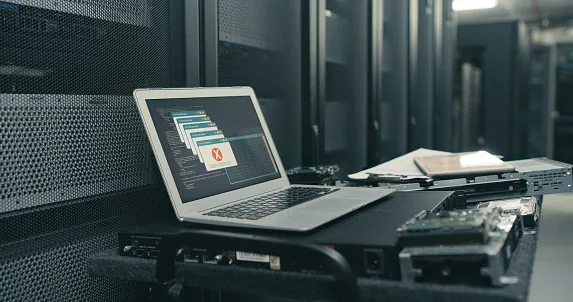
Secure media handling
Deleting files or formatting a drive is not the same as secure destruction. Retired storage media can still expose personal, business, legal, or client data if it is not handled correctly.
Secure data destruction is the opposite side of professional data recovery. When data matters, the recovery path must protect it. When data must be retired, the destruction path must make sure it cannot be recovered later from a discarded drive, reused computer, external disk, USB device, or business storage system.
OmniDataPlus helps customers choose the correct approach based on the media type, whether the device needs to be reused, whether documentation is required, and whether the storage contains sensitive personal, business, legal, medical, accounting, or client information.
Secure wiping workflows for reusable media when erasure is the right path.
Destruction for retired or damaged storage that should not return to service.
Hard drives, SSDs, computers, removable storage, and sensitive retired equipment.
Certificates and clear records for privacy-conscious customers and organizations.
When it matters
Storage media can outlive the computer it came from. If the contents are sensitive, destruction should be treated as a security decision, not an afterthought.
HDD vs SSD destruction
Traditional hard drives and SSDs do not store and expose data in the same way. Hard drives use magnetic platters, while SSDs use flash memory with wear leveling, spare blocks, controller translation, and sometimes hardware encryption. A method that is suitable for one type of media may not be the right method for another.
That is why the first step is identifying the storage type and the goal: reuse, disposal, physical destruction, certificate documentation, or a combination of those needs. If there is any chance the data may still be needed, discuss the device before destruction begins.
Process
We confirm the type of device, reuse needs, and documentation requirements.
Secure erasure or physical destruction is selected based on the media and goal.
Completed work is recorded and certificates are provided where required.
Before destruction
Once media is securely destroyed, recovery may no longer be possible. If there is uncertainty, the safest first step is to confirm backups, verify what must be preserved, and separate recovery needs from destruction needs before work begins.
Destruction FAQ
No. Formatting is not the same as secure erasure or physical destruction.
Yes. SSD handling should account for flash storage behavior and the chosen destruction method.
Certificates can be provided for destruction service when required.
Yes. It is useful for businesses, professionals, and individuals with sensitive retired media.
Retire media safely
Contact OmniDataPlus for secure media handling in North York.