
USB drives, SD cards, microSD cards, and monolithic flash devices often depend on a controller that translates raw NAND memory into files. When that controller, connector, or memory structure fails, recovery can become a reconstruction problem.
Last updated September 6, 2026. Reviewed by Michael Avraham, Lead Data Recovery Specialist at OmniDataPlus.
Quick answer
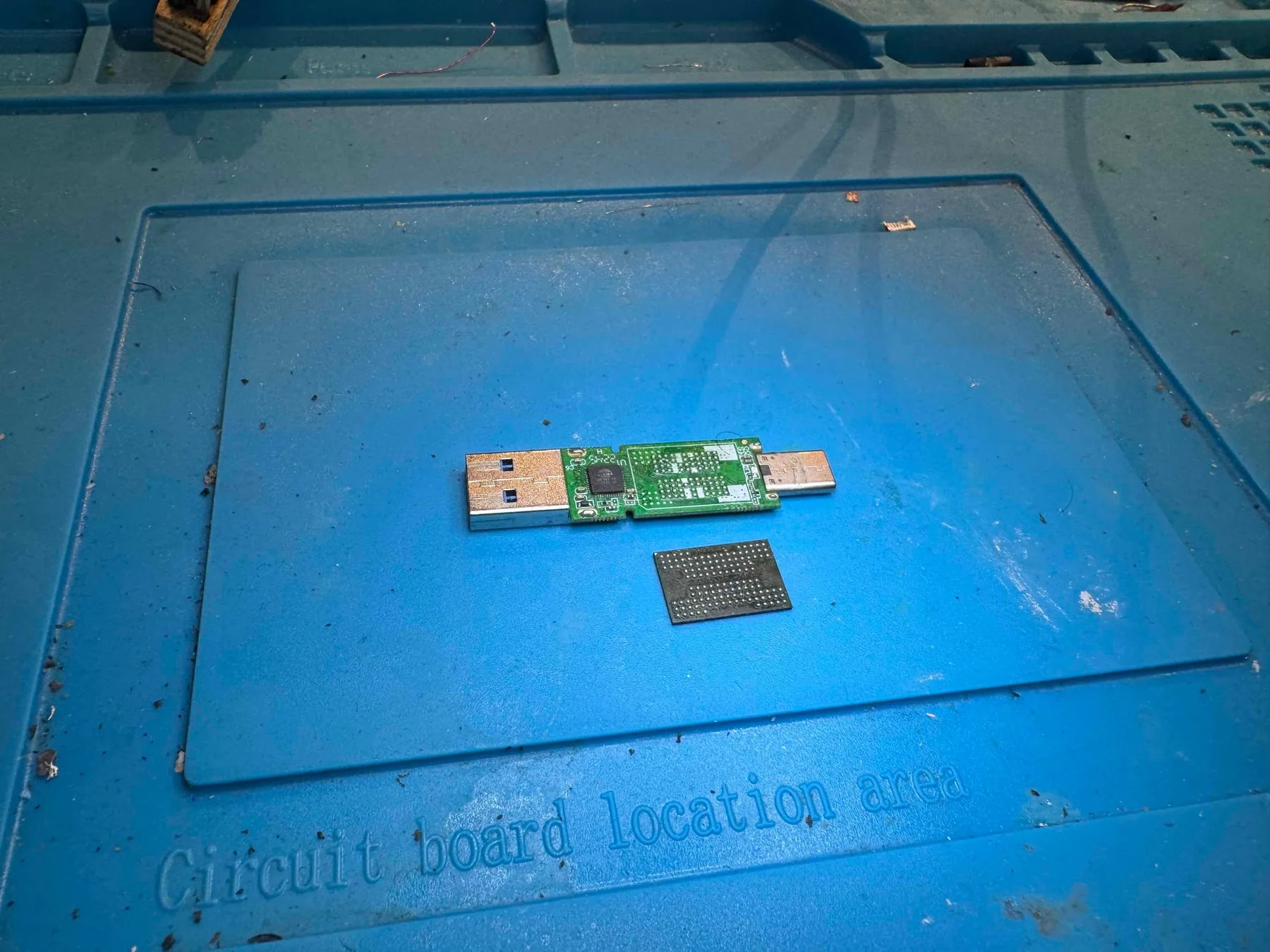
USB, SD, and microSD recovery can be simple when the damage is only a connector issue, but complex when the controller or raw NAND path is involved. In harder cases, the lab may need to access memory directly and reconstruct how the controller organized the data.
- Do not format the flash device when Windows or macOS asks.
- Do not keep reconnecting a USB drive that appears and disappears.
- Bring physically damaged flash media in before pads, traces, or memory chips are damaged further.
What NAND is
NAND is the type of flash memory used inside USB drives, SD cards, microSD cards, many SSDs, and phones. It stores the raw data, but not always in a simple order that looks like normal files.
A controller sits between the memory and the computer. It manages wear leveling, error correction, bad blocks, and how the data is arranged. When the controller path fails, the raw memory may need to be interpreted directly.
Why flash recovery is different
Raw NAND data is not stored like a normal folder tree. It may include wear leveling, error correction, interleaving, block rotation, and controller-specific translation.
Why a broken connector can be simple or complex
Sometimes a USB drive only needs careful connector or trace repair. Other times the damage reaches the controller or memory, and the recovery becomes more involved. A proper diagnosis separates simple electrical access problems from deeper flash reconstruction cases.
What the lab may need to do
- Repair damaged connectors or board traces when possible
- Read NAND directly when the controller path is not usable
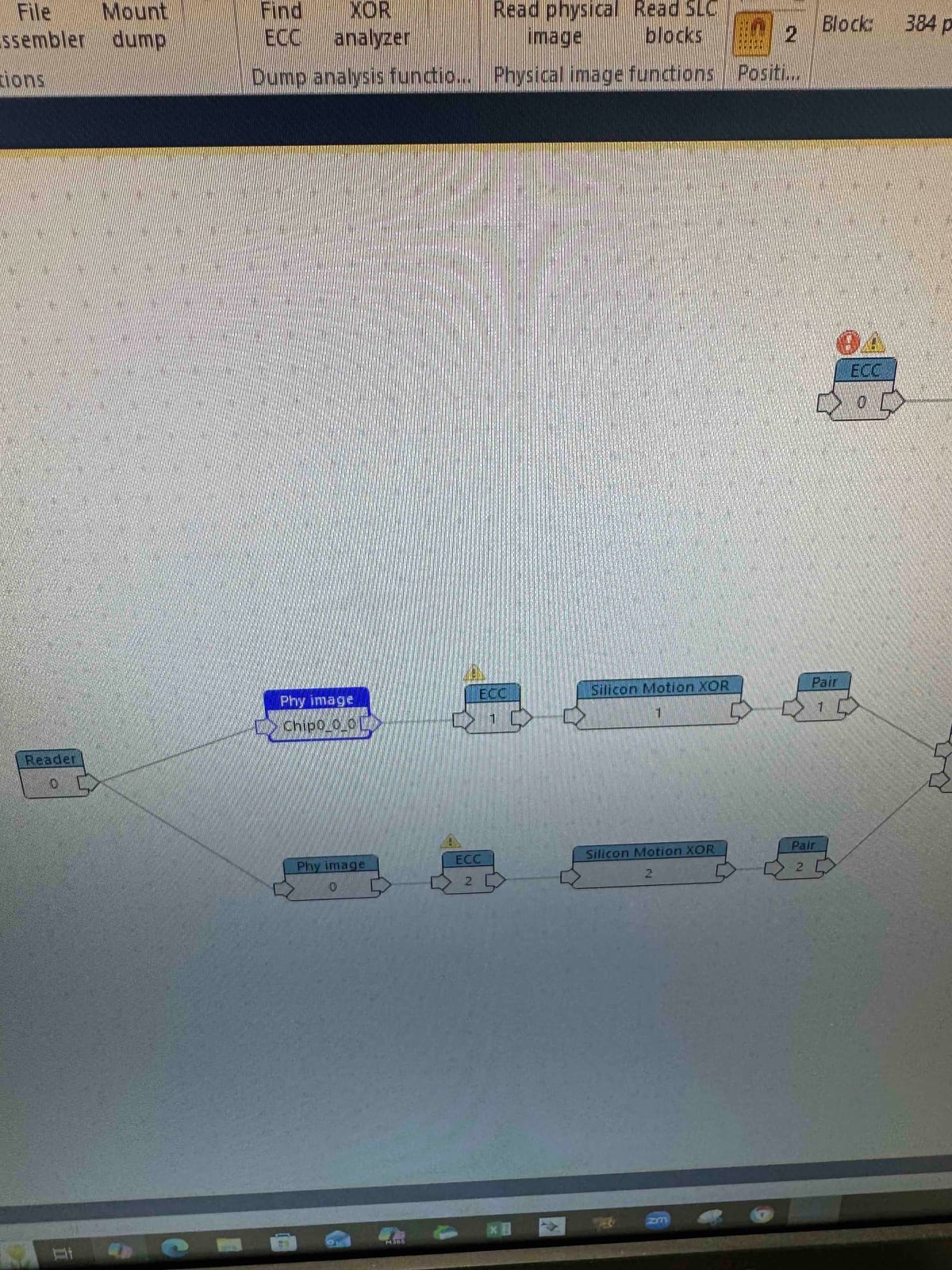
- Use Rusolut VNR-style workflows for analysis and reconstruction
- Rebuild the logical structure before extracting files
What reconstruction means
Reconstruction means taking raw memory reads and rebuilding the original order and logic that the controller used. This can involve error correction, page layout analysis, block pairing, XOR handling, and filesystem recovery before files are visible again.
When flash recovery becomes a reconstruction case
A broken USB connector may only require careful electrical access. A failed controller, damaged NAND package, monolithic card, or corrupted translation layer is different. The recovery path depends on separating physical access problems from deeper flash-memory organization problems.
Best first action
Stop using the flash device immediately. Do not format it, save new files, or keep reconnecting it if it appears intermittently.
North York data recovery lab
USB or SD card not mounting? Stop reconnecting it.
Free diagnostics are available at OmniDataPlus. Bring the device in as-is, or contact the lab before attempting another power-on, scan, rebuild, or repair.